Pediatric and infant workflow
Somnoware supports pediatric and infant patients across the platform. The system sets defaults based on age, including metric units of measure, and provides pediatric scoring options and pediatric templates.
When you create a new patient, Somnoware uses the date of birth to calculate the patient's age and group them as:
Infant: 0-12 months
Pediatric: 13 months to 18 years old
Adult: Over 18 years old
Depending on the patient's age, the application changes unit preferences and template options. For more information on patient creation, see Create patients.
For pediatric and infant patients, the system displays age in days, weeks, months, or years depending on the patient's age. This helps to provide clarity for clinicians when they review developmental or clinical thresholds.
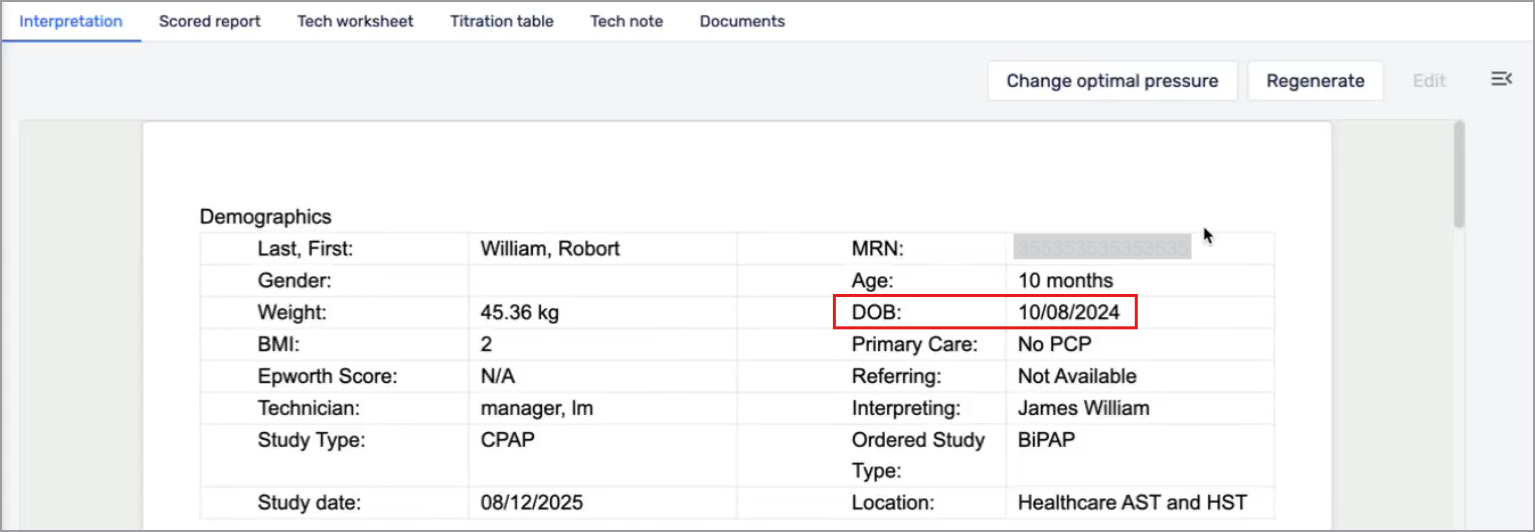
Somnoware applies unit defaults for weight and height based on age.
Infant and pediatric: Metric
Adult: Imperial
You can switch between metric and imperial units at any time. If you change the setting, Somnoware converts the entered values. For more information, see Manage patient records.

Somnoware includes default templates for younger patients.
For more information, see Configure pediatric parameters and Configure pediatric impressions.
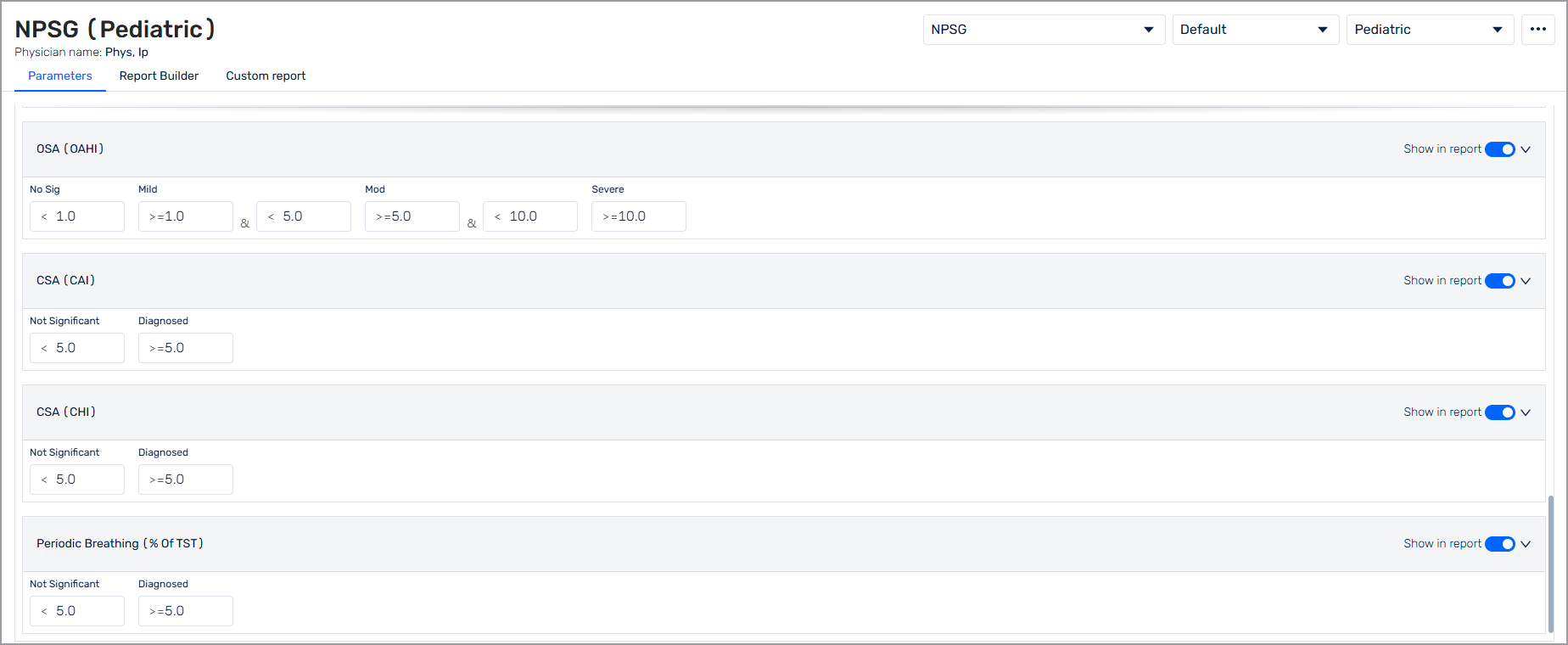
Infant and pediatric templates are available across all supported study types. The following pediatric-specific parameters are supported in the templates:
Obstructive apnea-hypopnea index (OAHI)
Central apnea index (CAI)
Central-hypopnea index (CHI)
Periodic breathing
In the Scheduler module, pediatric and infant patients are identified with a pediatric icon (  ). Hover over the icon to see age-related details. For a full list of icons, see Icons and colors.