Add a user
Add a user to create an account for a staff member and set their role, permissions and clinic access.
Note
Users can only see patients and studies at their assigned locations.
Go to Configuration (
 ) > Users.
Click Add New User.
Enter the required information. The following roles are available:
Role
Definition
Lab Manager
Clinical management user with administrative and patient-level permission.
Lab Technician
Technician who conducts sleep studies with basic permissions such as accessing patient details and starting sleep studies.
Physician
Board-certified sleep practitioner who interprets sleep studies in Somnoware.
Click Next.
Select one of the following options:
Based on user's role: Use the role's default permissions.
Select all: Assign all available permissions.
Custom: Select specific permissions.
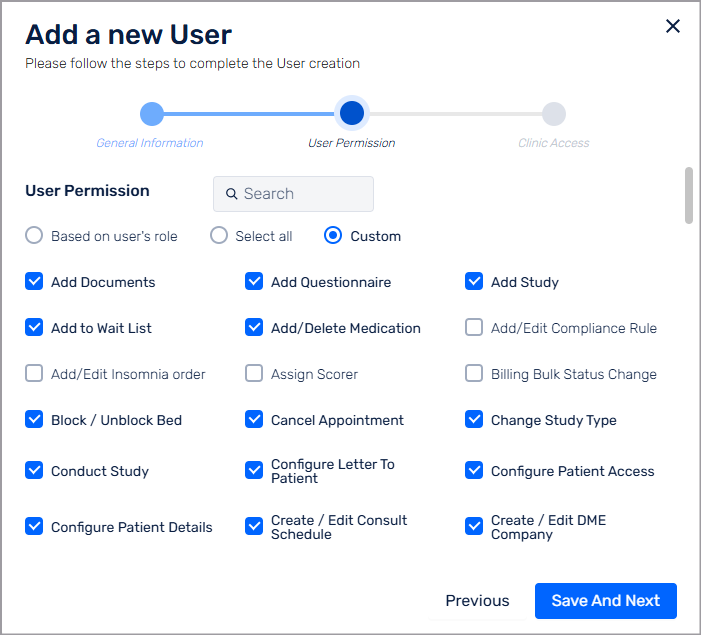
Click Save And Next.
From the Default Clinic list, select the user's location.
Click Add User.