Navigate Somnoware
The first time you sign in to Somnoware, the application opens the appropriate module for your user role. The Physician Manager module opens for users with the physician role, and the Patients module opens for all other roles. Use the Somnoware menus and navigation bars to manage patients and perform tasks.
Menu navigation
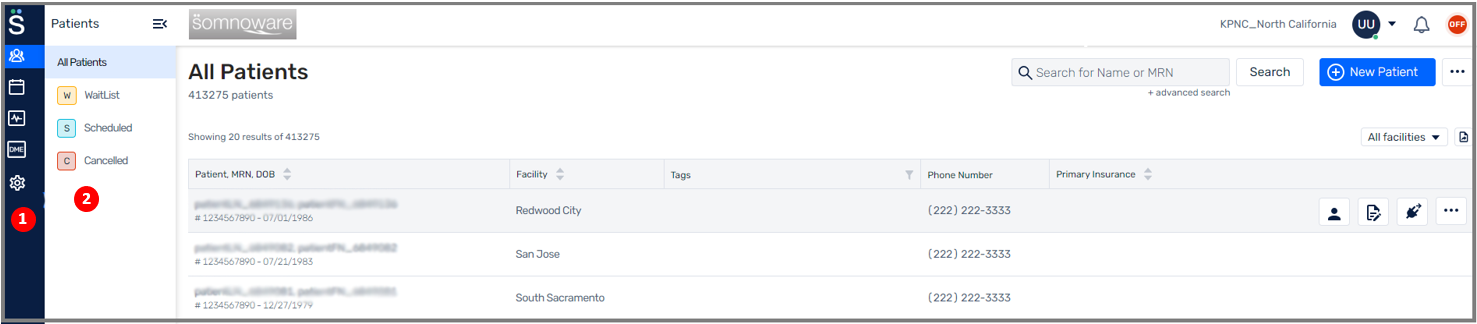
Main menu: This navigation bar is always visible and displays the main modules you can access.
Navigation bar submenu: This collapsible menu displays the options available in the module. You can use this menu to filter the patient list.
Main window navigation
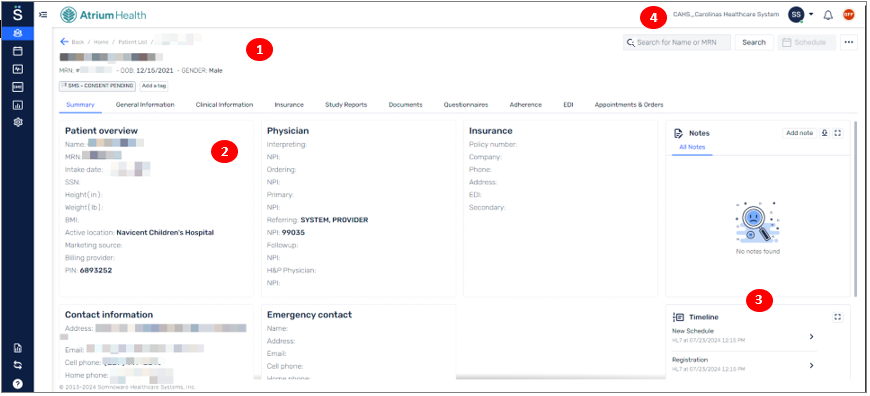
Summary: Displays a summary of the patient details. You can view all important details and start tasks from here.
Main area: Displays details of the patient you selected in the main menu or submenu.
Details: Displays the patient's history throughout their sleep journey.
User bar: Displays actions you performed, such as updating your password or changing settings.