Use the Patient Snapshot
Use the Patient Snapshot to review patient information and add patient notes and documents.
In the Summary section, click Refresh Content to ensure the latest patient information is displayed.
In the Notes section:
View patient notes.
Click Add note to create a new patient note.
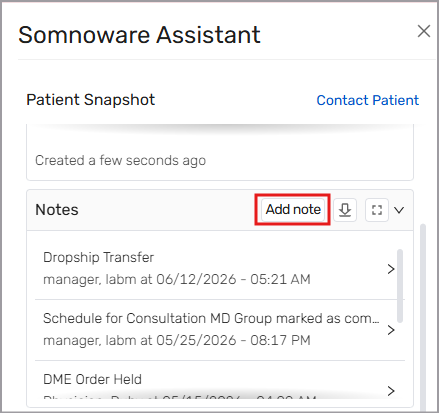
Click the download icon (
 ) to download a PDF of the Notes Summary.
Click the expand icon (
 ) to open Notes in a new window.
In the General Information section, view key patient details.
In the Insurance section, view the patient's insurance policies.
In the Pre-authorization Status section, view the patient's insurance authorization status.
In the Questionnaires section, view the status of questionnaires assigned to the patient.
In the Documents section:
View documents uploaded to the patient's profile.
Click Upload documents to add new documents.