Add patients to watchlist
The Patient watchlist is for internal use only. It tags patients whose predefined metrics or criteria you want to track.
In Therapy Monitor, click Population.
Click the Star icon next to the patient.
Type a description.
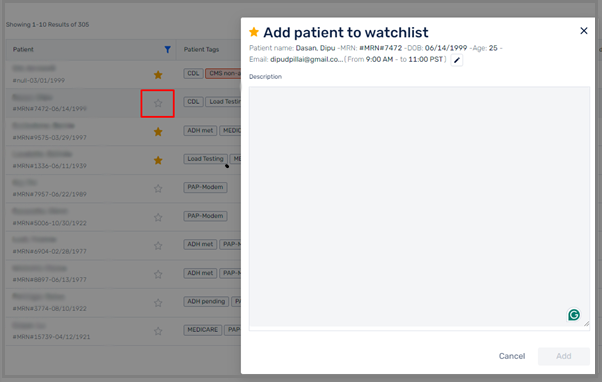
Click Add.
To view the patients added to the Patient watchlist, go to the Population page and click Patient watchlist.