Set Hypoxemia criteria
Configure the duration values used for the Hypoxemia classification. Hypoxemia uses the total time that SpO2 remains below the applicable threshold.
The default SpO2 thresholds are are:
Adult: Below 88%
Pediatric and infant: Below 90%
By default, a duration of less than 5 minutes below the default SpO2 threshold is Not Significant and a duration of 5 minutes or greater is Significant. Users can review and change these values based on their preferences. For existing physicians, see Enable Hypoxemia for existing physicians.
Note
Hypoxemia threshold values are synchronized across related physician preference settings. When a user updates a threshold in one location, Somnoware updates the corresponding value in the related settings.
In the Configuration module (
 ), click Physicians.
From the Actions column next to the physician whose parameters you want to configure, click the Preferences icon (
 ).
).From the Parameters tab, select the study type and patient age group to configure.
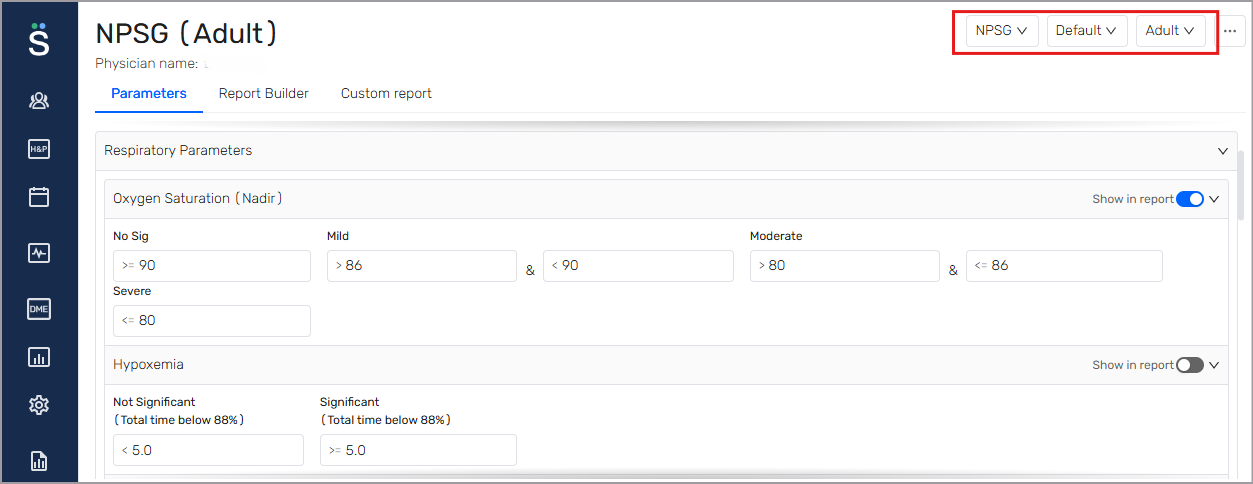
Expand the Respiratory Parameters section.
In the Hypoxemia section, configure duration values for the Not Significant and Significant classifications.
Ensure Show in report is enabled to include the criteria in the report.
Configure the Hypoxemia impression
Configure the impression text that displays based on the Hypoxemia criteria.
Open the Report Builder tab.
Click Impressions and scroll to the Hypoxemia section.
Review or update the impression text for Not Significant and If Significant.
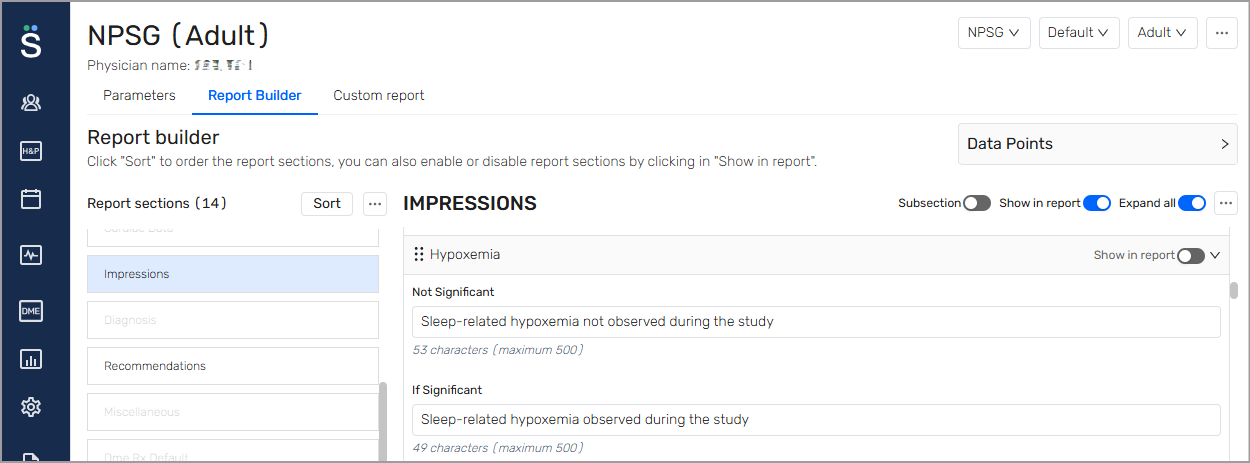
Turn on Show in report to include the hypoxemia impression in the interpretation report.
The physician can review and edit the impression when interpreting the study.